How to Boost Trail Camera Signal with Long-Range Antennas
August 15, 2025 ︱ By Willfine
If you’re using a 4G cellular trail camera in a remote area, maintaining a stable connection can be a challenge. Poor signal doesn’t just delay image transmission — it drains your battery faster, because a camera struggling to hold a link retransmits repeatedly and spends far more time with its radio active. That’s where long-range cellular antennas come in.
This guide covers how to diagnose whether an antenna will actually help, which antenna type fits which situation, the compatibility details that cause most ordering mistakes, and the installation factor — cable loss — that quietly cancels out most antenna upgrades.
One important note before you buy anything — and it’s good news if you own a Willfine. Every current Willfine cellular model ships with an external antenna port. That means everything in this guide applies directly to your hardware: if a site turns out to be marginal, you can change the antenna rather than replace the camera.
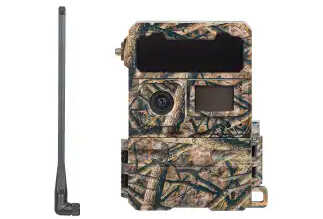
That’s a deliberate design choice, and it’s worth understanding why. Older cellular cameras often carried two antennas; as modem chipsets, RF front-ends, and antenna design improved, newer designs increasingly need only one. But note what that trend is not: it is not a move from external to internal. A single antenna can still be external — and keeping it external is what preserves your ability to adapt the camera to the site.
We explain the trade-off in Single vs. Dual Antenna — and Why the Port Matters.
Who this guide is for
- You already run a cellular trail camera. Everything from here on is written for you — antenna types, gain, band compatibility, connector pitfalls, cable loss, and installation.
- You’re specifying new cameras. Read the section below first, then use the rest of the guide to match antenna configuration to each site rather than treating all sites the same.
Start Here: An Antenna Amplifies What’s Already There
Before buying anything, understand this: an antenna is a passive device. It doesn’t create signal. What “gain” means is that the antenna redistributes energy — collecting from a wider area or focusing in a narrower direction. It improves your camera’s ability to hear a weak signal, and it does nothing whatsoever in a location with no signal at all.
Practically, this means antennas help in one specific situation: you have weak but real signal at the site. If you have none, the fix is different — move the camera, raise it, change carriers, or accept that the site needs a different approach.
How to check before you buy
Take a phone to the exact camera location — same height, same spot — and check the actual signal reading rather than the bars. On Android this is typically under Settings → About → Network; on iOS, field-test mode shows the numeric value. You’re looking for RSRP (Reference Signal Received Power), measured in dBm:
| RSRP | Signal quality | What it means for a camera |
|---|---|---|
| Better than −85 dBm | Excellent | An antenna is unnecessary |
| −85 to −100 dBm | Good to fair | Usually fine; an antenna helps if transmission is inconsistent |
| −100 to −110 dBm | Marginal | This is where an antenna pays for itself |
| −110 to −120 dBm | Weak but usable | High-gain antenna likely required; expect slow uploads |
| Worse than −120 dBm | No usable signal | An antenna will not save this site — relocate or change carrier |
Check at the camera, not at your truck. A reading taken at chest height in a clearing can be 10–20 dB better than what the camera experiences two feet off the ground in timber. Also test at the season you care about — full leaf canopy attenuates signal noticeably compared with bare winter trees.
Why Signal Strength Matters for Trail Cameras
Whether you’re monitoring wildlife, securing property, or conducting remote research, a weak cellular signal leads to missed footage and unreliable alerts. But the cost is larger than delay:
- Battery drain. Transmission is the single biggest power draw on a cellular camera. Poor signal means failed attempts, retries, and longer radio-on time per image — which can cut a deployment from months to weeks.
- Data waste. Retransmissions consume allowance without delivering anything useful.
- Silent gaps. The worst failure mode isn’t a slow photo, it’s a camera that stops uploading entirely and nobody notices for three weeks.
- Missed timing. For security or same-day scouting decisions, delayed delivery defeats the purpose of cellular altogether.
Single vs. Dual Antenna — and Why the Port Matters
If you’ve been running cellular trail cameras for a few years, you’ve probably noticed that older models often carried two antennas while many newer ones carry one. It’s easy to read that as a downgrade. It isn’t — but the more useful distinction isn’t antenna count at all. It’s whether the antenna is external or built into the housing.
Why the second antenna went away
Two antennas in a cellular device serve one of two purposes — receive diversity (listening on two paths and using whichever is stronger) or MIMO (carrying multiple simultaneous data streams for higher throughput). Both are real techniques.
But in early cellular trail cameras, the second antenna often existed for a plainer reason: the radio needed the help. Modem sensitivity was modest, RF front-ends were noisy, and internal elements were compromised by enclosure size and by being strapped to a tree. A second antenna bought back performance the core design couldn’t deliver.
Since then, three things improved at once and removed the need for it:
- Modem chipsets improved. Better receiver sensitivity means today’s radio holds a link on signal levels that earlier generations needed two elements to decode reliably.
- Band support widened. Coverage of the low-frequency bands that actually carry rural signal — the 700 MHz and 600 MHz layers — matters more for real-world reach than antenna count does.
- Antenna design improved. A well-executed single element now delivers what earlier designs could only reach by adding a second one — while using less power and needing less space.
The distinction that actually matters: external vs. internal
Here’s where most buyers get confused. “Single antenna” does not mean “internal.” A single-element design can be sealed inside the housing, or it can be a whip on an external port. Those behave very differently in the field.
| Integrated (internal) | External port | |
|---|---|---|
| Connector loss | None — one continuous matched path | Small insertion loss at the junction |
| Failure points | None exposed | Connector to seal, cable to protect |
| Swap antennas at the site | Impossible | Yes — change gain or pattern without replacing the camera |
| Mount antenna high, camera low | No — antenna moves with the body | Yes — often more effective than adding gain |
| Aim a directional antenna | No | Yes |
| Adapt if conditions change | Replace the camera | Replace the antenna |
Read that table and the trade-off is clear. An integrated antenna is tidier and has fewer things to break. An external port gives you options — and in field deployments, options are usually worth more, because you rarely know exactly what a site will do until the camera has been there through a full season.
Why Willfine keeps the port
Every current Willfine cellular model ships with an external antenna port. That’s a deliberate decision, and it follows directly from the trade-off above: we build cameras for sites where conditions are unknown, variable, and often genuinely difficult. An external port means those sites can be solved with a different antenna rather than a different camera.
The lineup reflects the same logic — antenna configuration is matched to how hard the site is:
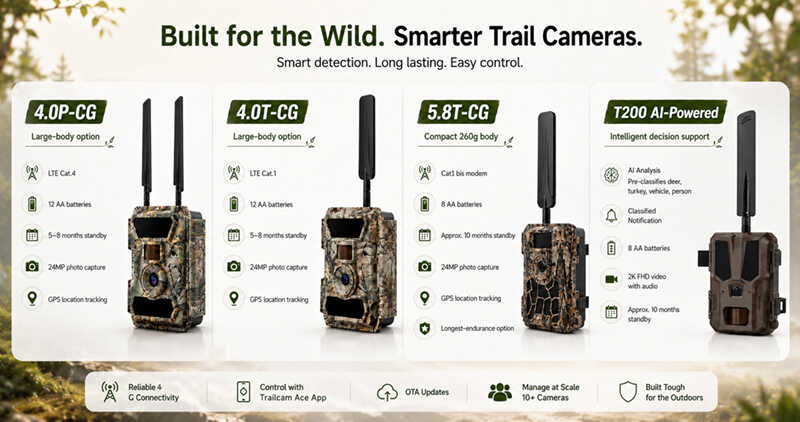
- Single external antenna — the default for the large majority of deployments. Compact, efficient, and sufficient wherever signal is reasonable. The 5.8CS is the clearest example: LTE Cat.1, 8× AA with up to six months standby, IP66, a 0.2s trigger, and 60 no-glow 940nm LEDs, in a body light enough to run many sites in a day.
- Dual antenna — for the sites that genuinely earn it: a single distant tower, deep terrain shadowing, heavy canopy, or a position at the very edge of coverage. The 4.0P-CG series is built for exactly this: the only dual-antenna configuration in the lineup, with LTE Cat.4 and a 12× AA pack delivering 5–8 months. It’s larger and draws more — and at the right site, that’s the correct trade.
Either way, the power story is the same and it’s the part people miss: weak signal is a power problem as much as a signal problem. Retransmissions and extended radio-on time dominate battery drain at marginal sites, which is why battery capacity and solar architecture are designed around that load profile rather than an optimistic one.
So: do you need a bigger antenna? Start with the stock one and measure. If RSRP at the camera is better than about −100 dBm, you probably don’t. If it’s marginal, the port is there so you can fix it — with a higher-gain antenna, a directional one aimed at the tower, or simply by getting the antenna higher than the camera body. That’s the whole point of keeping it external.
Types of Long-Range Antennas
First, a word on gain, since it’s the number most buyers shop by. Gain measured in dBi describes how effectively an antenna concentrates energy compared with a theoretical isotropic radiator. Higher gain does not mean “more signal from nothing” — it means the energy is focused into a narrower pattern. Think of a torch versus a lantern: the beam reaches further but lights a smaller area.
Omnidirectional antennas
- Pattern: 360° horizontal coverage, roughly doughnut-shaped.
- Typical gain: 2–9 dBi (most general-purpose units around 6–8 dBi).
- Advantage: No aiming required. Ideal where tower direction is unknown, where you’re using multi-network auto-connect, or where the camera might be repositioned.
- Trade-off: Lower gain, and more exposure to interference from all directions.
Directional antennas
- Pattern: Focused beam, typically 30–120° horizontal.
- Typical gain: 8–20+ dBi depending on design (Yagi, panel, or parabolic).
- Advantage: Substantially more range in the aimed direction, and better rejection of interference from elsewhere. In low-band 700 MHz, a 12 dBi directional antenna can roughly double effective coverage distance versus a 6 dBi omni in the main lobe direction.
- Trade-off: Must be aimed accurately at the tower, and signal falls off sharply outside the beam — up to 15–20 dB down at the edges.
Multi-element and MIMO antennas
- What they are: Two or more elements in one housing (2×2 or 4×4), typically cross-polarised.
- Why they matter: LTE networks use MIMO to carry multiple simultaneous data streams, and receive diversity improves reliability in marginal signal. If your camera has two antenna ports, a multi-element antenna can improve throughput and link stability — not just signal strength.
- Note on current hardware: Most current cameras use a single external antenna, because improved modems and better antenna design deliver equivalent or better performance for typical sites. Multi-element designs remain the right answer at genuinely difficult sites — which is why Willfine’s 4.0P-CG series ships with two. See Single vs. Dual Antenna.
Which should you choose?
| Situation | Recommended antenna | Why |
|---|---|---|
| Tower location unknown, or multi-network auto-connect | Omnidirectional | Can’t aim at a target you can’t identify |
| Known tower direction, marginal signal, fixed installation | Directional, aimed at tower | Maximum gain where you need it |
| Dual-antenna camera at a genuinely difficult site (4.0P-CG class) | Already equipped — focus on placement and height | Two elements already deliver diversity / MIMO |
| Camera gets moved seasonally | Omnidirectional | No re-aiming each move |
Choosing a Compatible Antenna
Not all antennas are compatible with every trail camera. This is where most buyers waste money, so check all four dimensions.
1. Frequency bands
The antenna must cover the bands your camera and carrier actually use. North American LTE band assignments:
- Verizon: B13 (700 MHz — the primary rural coverage layer), B5 (850 MHz), B4/B66 (AWS), B2 (1900 MHz)
- AT&T: B12/B17 (700 MHz), B14 (FirstNet), B5 (850 MHz), B4/B66 (AWS), B2 (1900 MHz), B30 (2300 MHz)
- T-Mobile: B71 (600 MHz), B12 (700 MHz), B4/B66 (AWS), B2 (1900 MHz)
Lower frequencies travel further and penetrate timber better. That’s why B13 on Verizon and B12/B71 elsewhere matter so much in rural deployments. An antenna that covers 698–2700 MHz handles essentially all North American LTE bands — that’s the safest specification if you’re unsure. Note also that 3G networks are now shut down across major US carriers, so legacy 3G-only hardware will not connect regardless of antenna.
2. Connector type — the most common ordering mistake
- SMA is the common threaded connector on external antennas and many cameras.
- RP-SMA (Reverse Polarity SMA) looks nearly identical but has the opposite centre contact arrangement. They are not interchangeable — matching threads alone doesn’t confirm compatibility.
- TS9 and CRC9 are small push-on connectors found on compact cellular devices. They are not interchangeable with each other — different pin sizes and locking mechanisms. Forcing the wrong plug can damage both the antenna and the device port.
- U.FL / MHF / IPEX are board-level internal connectors; these appear inside the housing, not as external ports.
Verify against your specific model before ordering. Also confirm whether you need male or female, straight or right-angle — and if right-angle, which direction the cable should exit.
Or skip the guesswork entirely. Every compatibility question above — band coverage, connector type, cable specification, gain, mounting — is something a custom program resolves before shipping rather than after deployment. Instead of verifying four dimensions per camera and hoping the fifth works out, the RF configuration is specified for your market’s carriers and your sites’ actual conditions, and the right antenna ships with the camera.
3. Impedance
Cellular antenna systems are 50 ohm. Using 75 ohm cable (the TV/satellite standard) creates an impedance mismatch that reflects energy back toward the source, costing signal and potentially stressing the transmitter.
4. Weather resistance
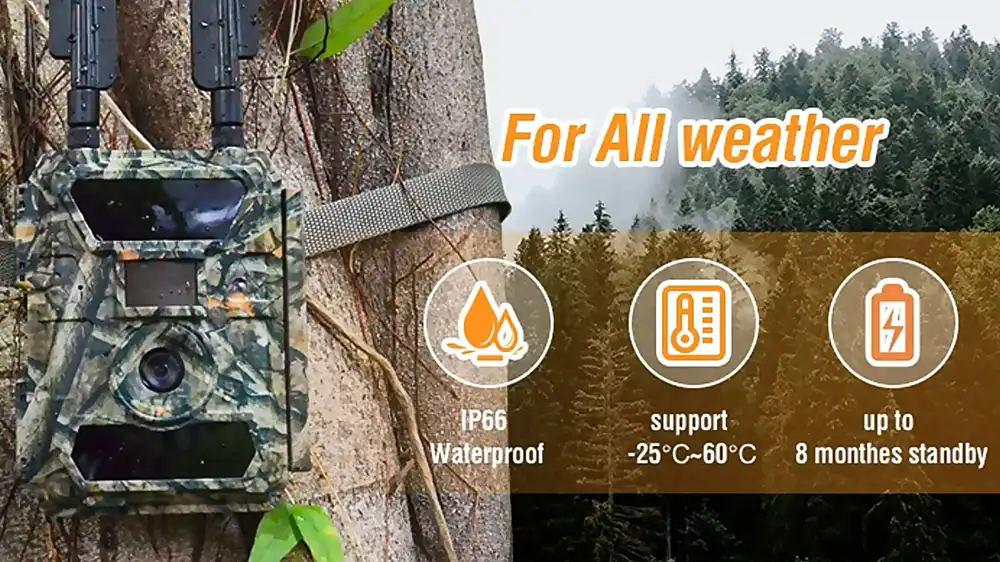
Look for a genuine outdoor rating, not just “water resistant” marketing language. UV-stable housing, sealed connector boots, and a drainage path at the cable entry point matter more than the headline IP number. Connectors — not the antenna body — are the usual failure point.
Cable Loss: The Upgrade That Cancels Itself Out
This is the part most antenna guides skip, and it’s where most real-world upgrades fail.
Every metre of coaxial cable between antenna and camera loses signal, and the loss increases with frequency and with length. A 10 dBi antenna on a long run of thin cable can easily deliver less signal to the camera than a 5 dBi antenna on a short, low-loss run.
Typical attenuation at around 700 MHz per 100 feet:
| Cable type | Loss @ ~700 MHz | Loss @ ~1 GHz | Practical guidance |
|---|---|---|---|
| RG-174 / RG-316 (very thin) | ~8–9 dB | High | Avoid except for very short pigtails |
| RG-58A/U | ~5 dB | ~10.5 dB | Acceptable only under ~10 ft |
| LMR-200 | ~3.2 dB | ~10.5 dB | Fine for short runs, flexible |
| LMR-400 | ~1.3 dB | ~4.1 dB | The right choice for long runs |
| LMR-600 | ~0.9 dB | ~2.5 dB | Only when every fraction of a dB counts |
Rules of thumb:
- Keep total cable loss under 3 dB. Beyond that you’re giving back half your transmitted power and the antenna becomes decorative.
- Keep the run short first, then upgrade cable. Halving the cable length is usually cheaper and more effective than buying a higher-gain antenna.
- Remember the loss is cumulative across the whole path. Antenna gain, connector insertion loss, cable attenuation, and impedance mismatch all subtract from what reaches the modem. This is why a matched, integrated design often outperforms a higher-gain add-on: it wins at every junction rather than just at the antenna.
- Use the shortest low-loss cable that reaches. Don’t coil excess — extra length is pure loss.
- Don’t hang a heavy cable off a small TS9 or CRC9 port. Use a short flexible adapter pigtail to transition to a larger connector, so the mechanical load isn’t carried by the device port.
Installation Tips
- Mount the antenna as high as possible, ideally above the tree line or at least clear of dense canopy. Height usually beats gain — going up 10 feet can outperform adding 3 dBi.
- For directional antennas, find the tower first. Use a signal meter or a phone app to identify tower direction, then aim and verify with an actual reading. Aim optimistically and you’ll land outside the beam.
- Keep the antenna away from the camera body and solar panel where practical — nearby electronics and metal can detune the pattern.
- Avoid acute cable bends and never kink coax; sharp bends degrade performance at the bend point.
- Weatherproof the connection point properly. Use self-amalgamating tape or a sealed boot, and form a drip loop so water runs off rather than into the connector.
- Secure the cable against wind and animals. Vibration works connectors loose over a season, and rodents chew coax.
- Re-test after installation. Compare the before and after RSRP. If you don’t measure, you don’t know whether the upgrade worked.
What an Antenna Won’t Fix
Being straight about the limits saves you money and frustration:
- No signal at all. Gain applied to nothing is still nothing. If RSRP is worse than about −120 dBm, relocate the camera or change carriers.
- Terrain blockage. A ridge between you and the tower is a physical obstruction. Higher antenna height can help; more gain usually can’t.
- Congested networks. During opening weekend, tower capacity — not signal strength — is often the bottleneck. An antenna won’t fix a saturated cell.
- Internal faults. If the camera’s own antenna port, radio, or firmware is faulty, an external antenna won’t compensate.
- A dead data plan or wrong band configuration. Verify the account and band settings first — it’s the cheapest thing to rule out.
Best Use Cases
Long-range antennas are ideal for:
- Remote hunting lands where signal is low — marginal-coverage food plots, lease roads, and back fields
- Farm and ranch surveillance across wide areas — perimeter gates, equipment yards, and water points far from buildings
- Wildlife research zones in mountainous or forested regions — where canopy and terrain both work against the link
- Seasonal or temporary deployments — where you can’t choose the site but can improve the antenna
- Any camera showing repeated upload failures — before assuming the camera is defective, check signal
Recommended Willfine Trail Cameras
Every model below ships with an external antenna port — so every one of them can be upgraded with a long-range antenna using the guidance in this article. All run a single external antenna except the 4.0P-CG series, which ships with two for the sites that need them.
4.0P-CG Series — Best for extreme marginal-signal sites (dual antenna)
- The only dual-antenna configuration in the Willfine lineup — built for sites where a single element won’t hold the link: a distant single tower, deep terrain shadowing, heavy canopy, or a position at the very edge of coverage.
- LTE Cat.4 with a 12× AA pack, 5–8 month runtime — sized for the extra RF draw, so the stronger link doesn’t cost you constant battery changes.
- Larger rugged body — the physical space two elements need, plus durability for fixed long-term deployments.
- SMTPS / FTPS delivery — sends footage straight to your own mail or FTP server, so nothing has to pass through a vendor cloud.
- Remote settings, OTA firmware updates, and GPS camera mapping, so a difficult site doesn’t become a frequently visited one.
5.8CS — Best for portable multi-site scouting
- Single external antenna + LTE Cat.1 — compact and efficient for standard-coverage sites, with the port available if a site turns out worse than expected.
- 8× AA, up to 6 months standby, IP66 — sealed against dust and high-pressure moisture, −20 °C to 55 °C operating range.
- 0.2s trigger with 60 no-glow 940nm LEDs — the fastest trigger in the lineup, and fully invisible night illumination for pressured or security-sensitive sites.
- Embedded GPS geotagging and OTA updates — map deployments instantly and manage firmware remotely, which is what makes a distributed array practical.
T200 — Best for real-time hunting and remote alerts
- Single external antenna + 4G LTE — real-time HD image transmission, upgradeable with a long-range antenna when a site demands it.
- 0.4s trigger speed so the radio isn’t the only thing deciding whether you get the shot.
- Solar-powered standby — the critical pairing for marginal signal, where retransmission is the dominant power draw.
- OTA updates so firmware improvements reach the field without a site visit.
T4.0-CS — Best for multi-site arrays
- Single external antenna + 4G LTE — consistent, swappable coverage across every site in the array.
- GPS tagging — track which sites in a multi-camera array are underperforming on signal, rather than discovering it at season’s end.
- App control for configuration and re-aiming verification without a trip to the tree.
- Smart image filters to cut false triggers, which waste transmission budget at exactly the sites that can least afford it.
- Up to 2.7K video for behavioural detail where bandwidth allows.
G100 AI Outdoor Camera — Best for security and perimeter deployments
- Single external antenna + 4G LTE — engineered for reliable delivery, upgradeable where a perimeter site needs more reach.
- Dual power — solar plus battery, sized for the retransmission load that weak signal creates.
- AI detection for human, vehicle, and animal, which cuts irrelevant transmissions — the cheapest way to save both battery and data at a marginal site.
One more choice: how your images are delivered
Beyond antenna configuration, Willfine offers two transmission architectures — and the right one depends on who needs to own the data:
- CS series — 4G LTE. Images go to the Willfine app and cloud. Best for hunters, landowners, and anyone who wants the simplest path from camera to phone.
- CG series — SMTPS / FTPS. Images are delivered straight to your own mail or FTP server. Nothing has to pass through a vendor cloud, which matters when you have data-residency rules, internal security policy, or an existing monitoring system the footage needs to land in. The CG series is also where the dual-antenna 4.0P-CG sits — appropriate, since these are typically the deployments with the strictest uptime and data-handling requirements.
Both rely on cellular networks, so everything in this guide applies to both. The difference is where the data ends up — and for research programmes, government projects, and security integrators, that’s often the deciding factor rather than any antenna specification.
Antenna configuration across the lineup: every Willfine cellular model ships with an external antenna port. The 4.0P-CG series is the only dual-antenna configuration (LTE Cat.4); all other models — including 5.8CS, T200, T4.0-CS, and G100 — use a single external antenna.
Signal Planning Across Multiple Sites
A single marginal camera is an annoyance. Twenty cameras spread across four properties, each with different terrain and different tower geometry, is an engineering problem — and treating it one antenna at a time is the expensive way to solve it.
What actually helps at scale:
- Survey before deployment, not after. Log RSRP at every candidate site during the season you’ll actually be running. A site list with signal readings changes everything downstream.
- Standardize per site class, not per camera. Good-signal sites need nothing; marginal sites get a documented antenna and cable spec; no-signal sites get excluded or moved rather than endlessly tweaked.
- Match carrier per region. Band support and tower geometry vary: a property that works well on one carrier may be unusable on another. Multi-network auto-connect helps, but provisioning for the carrier that actually covers each market is more reliable.
- Power for the worst case. Plan battery and solar capacity around the weakest-signal sites, since they’ll retransmit most.
- Monitor link health centrally. A camera that stops reporting should be obvious in a dashboard, not discovered three weeks later.
If that describes your operation — land managers with multiple leases, outfitters, habitat consultants across client properties, research networks, or security integrators — antenna selection is one input into a deployment design, not a shopping decision. Willfine’s customization program handles that layer: antenna and RF design specified per deployment, regional band and carrier configuration, solar-first power architecture for high-retransmission sites, fleet management with centralized monitoring and batch firmware updates, and white-label app or private cloud integration — including how data plans are structured and who owns that recurring revenue.
Share your site count, terrain, and coverage per location and we’ll spec the connectivity rather than sell you an antenna.
Conclusion
Whether you’re dealing with weak-signal zones or need a more stable cellular connection, a long-range antenna is a smart upgrade — provided there’s real signal to work with and the cable run doesn’t eat the gain you just bought.
Three things to take away: measure RSRP at the camera before you buy, choose the antenna pattern to match whether you know the tower direction, and keep total cable loss under 3 dB. If you’re nursing an older or competitor camera through a difficult site, get those right and the antenna will earn its keep.
If you’re specifying new hardware, the answer is to match the antenna configuration to the site. A single external antenna covers the large majority of deployments; dual antennas earn their keep at the genuinely hard ones — a distant tower, terrain shadowing, or a position at the edge of coverage.
Either way, buy from a lineup that keeps the port. Signal conditions change: canopy leafs out, a new tower goes up, a lease boundary moves. A camera with an external antenna port adapts with a different antenna; one without it gets replaced. That’s why every Willfine cellular model ships with one — most with a single antenna, and the 4.0P-CG series with two for the sites that need them.
FAQ
Do long-range antennas work on any trail camera?
Only cameras with an external antenna port — and every current Willfine model has one. Check the connector type before ordering: SMA, RP-SMA, TS9, or CRC9. Cameras with a fully internal antenna can’t accept an upgrade, which is why it’s worth confirming the port exists before you buy if you hunt or monitor in marginal coverage.
Will an antenna work if I have no signal at all?
No. Antennas are passive devices that collect and focus existing signal; they don’t generate it. If RSRP is worse than about −120 dBm, you need to relocate the camera, raise it, or change carriers.
How much gain do I need?
Match gain to your situation rather than buying the biggest number. For marginal signal (−100 to −110 dBm) with a known tower direction, 8–12 dBi directional is usually sufficient. Omni antennas in the 6–9 dBi range suit unknown tower locations. Remember that cable loss subtracts directly from your gain.
What’s the difference between SMA and RP-SMA?
Both are threaded connectors that look nearly identical, but the centre contact arrangement is reversed. They aren’t interchangeable — matching threads alone doesn’t confirm compatibility. Check your camera’s specification, and note whether you need male or female.
Can I use any coaxial cable?
It must be 50 ohm — not the 75 ohm cable used for TV and satellite — and the loss matters. Thin cable like RG-58 loses roughly 5 dB per 100 feet at 700 MHz; LMR-400 loses about 1.3 dB. Keep total loss under 3 dB or you’ll cancel out the antenna’s benefit.
Does a better antenna improve battery life?
Often yes, indirectly. Weak signal causes retransmissions and longer radio-on time, both of which drain batteries. Improving the link reduces time spent transmitting, which can meaningfully extend a deployment.
Should I use an omnidirectional or directional antenna?
Omnidirectional if you don’t know where the tower is, if the camera uses multi-network auto-connect, or if you move cameras seasonally — no aiming required. Directional if you know the tower direction and need maximum range from a fixed installation.
How high should I mount the antenna?
As high as practical, ideally above the tree line or clear of dense canopy. Height frequently outperforms gain — raising the antenna 10 feet can beat adding 3 dBi, because it clears the obstructions that are actually attenuating the signal.
Related Reading
- Trail Camera Knowledge Hub — connectivity, power, and RF fundamentals
- Best Cellular Wireless Trail Cameras
- Trail Camera Positioning Guide
- How Game Cameras Work Without WiFi — connectivity options compared
- What Is a Trail Camera?
Next Steps
Not sure which antenna fits your site? Contact our team with your location, carrier, and signal reading, and we’ll recommend a configuration.
CONTACT US FOR OEM/ODM CAMERAS
- >>How Researchers Use 4K Trail Cameras — GPS, Timestamps & Low-Disturbance Monitoring | Field Research Selection Guide
- >>4K Cellular Trail Cameras: The Three Costs Buyers Need to Calculate
- >>4K Birding Cameras & Smart Bird Feeders: Why Buyers Should Look Beyond Resolution
- >>4K Trail Camera Engineering Guide: Sensor Selection, False-Trigger Control & Off-Grid Power (Technical Deep-Dive)
- >>4K Trail Cameras for Hunting and Birding: What Professional Buyers Should Care About Beyond “4K”